Getting Started in Build with Blocks
A calm first session from joining Roblox to finishing a tiny starter house.
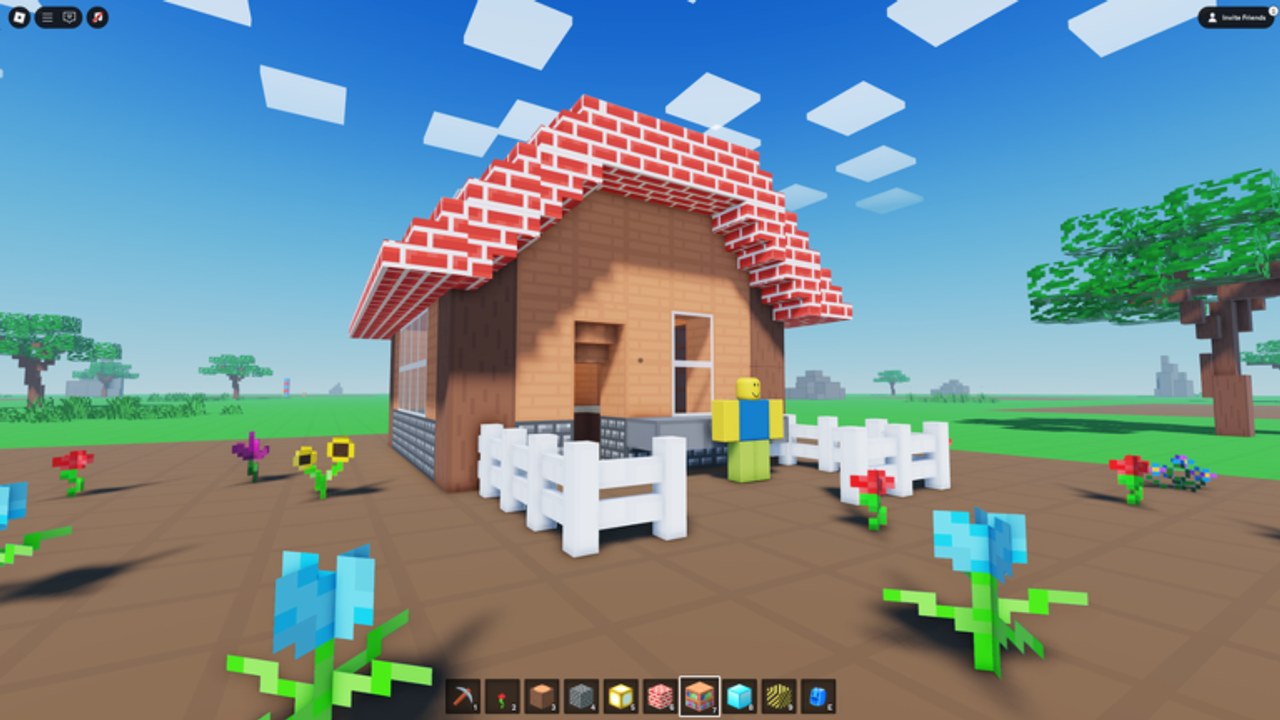
Build with Blocks is Goober Labs’ chill Roblox plot sandbox. You spawn, claim a personal plot, open the inventory, place blocks, and reshape mistakes with a pickaxe. This getting-started guide turns that official blurb into a concrete first hour so you leave with a foundation instead of a random stud pile.
Before you press Play
- Open the official experience: place ID 78287218060484 (universe 8827949529).
- Favorite the game so weekly updates surface in your Roblox home feed.
- Optionally join the Goober Labs group for announcement visibility.
- Skim active codes—even if the list is empty today, the redeem UI is easier to find while the HUD is fresh.
Server size is 8 players. Expect a cozy lobby, not a megaserver. If a plot fails to load, leave and rejoin; that pattern is common across Roblox plot builders and is called out in sibling titles from the same studio family.
Minute-by-minute first session
Minutes 0–3: Orient
Land on the map, locate your plot marker, and stand in the center. Note where the inventory button sits on your device. PC players usually click a backpack-style control; mobile players tap the matching icon. Full mappings live on the controls page.
Minutes 3–8: Place the first layer
- Open Inventory.
- Select a basic structural block (wood, stone, or the default starter stud).
- Click or tap the ground to place.
- Build a 5×5 or 6×6 pad. Flat pads forgive mistakes better than vertical spikes.
If nothing appears, you may still be in walk mode without a block selected, or you may be aiming off-plot. Reselect the block and aim at your plot floor.
Minutes 8–15: Walls and a doorway
Stack a single-block-high wall around three sides, leaving a two-block gap as a temporary door. Until customized doors arrive from the Voxel Block Builder pipeline, gaps are your entrances. Need to erase a misplaced stud? Equip the pickaxe and mine it—details in How to Mine.
Minutes 15–25: Roof or patio
Add a simple flat roof or an outdoor patio ring. Resist the urge to spend every decorative block on day one. Check the tier list later for which materials read best as structure versus accent.
Minutes 25–40: Roleplay props
Place a seating corner, a pathway to the plot edge, and one focal prop (fountain stub, stall, or garden box). Small focal points photograph better for thumbnails and make the plot inviting when friends join via the players tips.
Goals for your first three visits
| Visit | Goal |
|---|---|
| 1 | 5×5 pad + partial walls |
| 2 | Complete shell + mined doorway |
| 3 | Color accents + pathway |
Between visits, read How to Build and Building Tips. Weekly drops often add block types—skim Updates so you know what changed.
Common beginner mistakes
- Building off-plot because the camera angled into a neighbor’s space
- Never mining, which leaves ugly scaffolding forever
- Rainbow spam with every color before a silhouette exists
- Ignoring favorites, then missing the weekly content the description promises
- Redeeming codes in the wrong game after searching generic “blocks” titles
Safety and etiquette
Keep builds PG. With only eight players per server, griefing is rare but still possible—screenshot evidence and use Roblox report tools. Do not share account credentials with anyone offering “free admin builds.” For executor talk, read Scripts before experimenting.
What success looks like
You succeed at onboarding when you can: select a block without hunting the UI, place a clean rectangle, mine a doorway, and explain the loop to a friend in one sentence. Everything else—mega castles, cafés, pixel art—is optional creativity on top of that foundation.
Next step: open How to Build for placement mastery, or jump to Codes if you only wanted freebies first.
Frequently Asked Questions
Quick answers for Build with Blocks players.
Does Build with Blocks have a tutorial level?
The experience teaches via the short How to Build blurb: open inventory, select a block, click or tap to place, then use the pickaxe to mine. This guide expands that into a timed first session.
My plot did not load. What now?
Rejoin the experience. Plot load hiccups happen in Roblox sandbox titles; a fresh server usually restores your land.
Can I play with friends on day one?
Yes. Servers hold up to eight players. See Players for invite etiquette and shared-build tips.
Is the game released or upcoming?
Released. It launched on 28 September 2025 and remains actively updated.