Build with Blocks How to Mine Blocks
Turn the pickaxe into your undo button, recycler, and doorway carver.
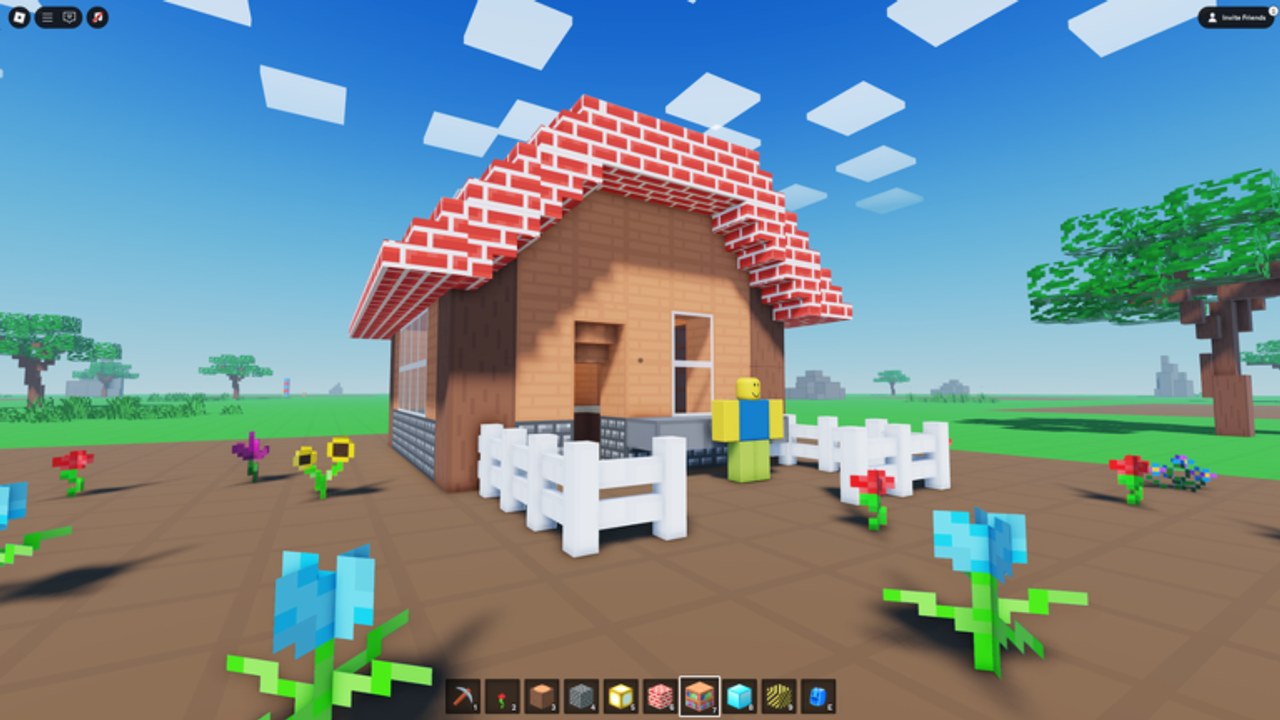
The official Build with Blocks blurb ends with a critical verb: use the pickaxe to mine blocks. Mining is not a side activity—it is how you edit, recycle, and sculpt. This guide shows when to mine, how to avoid accidental wipes, and how to carve openings while you wait for dedicated doors from the Goober Labs roadmap.
Equip and swing
- Open your tool / inventory list.
- Select the Pickaxe.
- Aim at a block you own on your plot.
- Click or tap to mine it away.
If the avatar walks instead of mining, the pickaxe is not equipped. Reselect it after placing blocks—many players forget the mode switch.
Why mining matters
- Undo: delete crooked towers without restarting the plot
- Recycle: reclaim materials for a better layout (see tier list)
- Carve: create door gaps, windows, and interior rooms
- Terraform: lower landscaping bumps that break pathways
Creative sandboxes without a strong mine tool become graveyards of unfinished spikes. Build with Blocks gives you the tool on purpose—use it early, not only when frustrated.
Safe mining workflow
- Orbit the camera so you see only the target stud.
- Mine one block, pause, confirm you hit the right piece.
- Continue in a straight line for doorways (usually two blocks wide).
- Switch back to a build block before walking away so the next tap places instead of deletes.
Speed-mining entire walls is fine when you intentionally redesign, but keep a mental checkpoint: screenshot before big demolitions if the build has sentimental value.
Carving openings before doors arrive
Goober Labs announced customizable doors on Voxel Block Builder with Build with Blocks planned to follow. Until that ships, openings are mined gaps:
- Doorway: mine a 2×2 or 2×3 hole at ground level
- Window: mine a 2×1 hole at eye height, optionally leave a sill block
- Skylight: mine a square in the roof after the shell is sealed
Edge the opening with an accent material from the building tips guide so the hole looks intentional.
Mining etiquette on shared servers
Only mine blocks on your plot unless a collaborator invites you. Server size is eight—everyone notices griefing. If someone mines your work, document with screenshots and report through Roblox. Read Players for co-op norms.
Practice drills
Drill A — Undo line: place ten blocks in a row, mine every other one, replace with a second material. Drill B — Doorway: build a solid wall, mine a centered opening, walk through without jumping. Drill C — Interior: enclose a 6×6 shell, mine an inner chamber by hollowing studs.
These drills teach precision faster than watching tip compilations. Pair them with Controls if equipping tools still feels sticky.
Common mining mistakes
- Leaving the pickaxe equipped and deleting the next intended placement
- Mining neighbor scaffolding because the camera clipped off-plot
- Clearing foundations under tall builds (collapse vibes even if physics are forgiving)
- Forgetting to re-favorite the experience after a long mine-and-rebuild session
Link mining to progression
After reclaiming a stack of basics, rebuild with better planning from How to Build. Spend freed inventory slots on accents ranked in the tier list. Check Codes when Goober Labs drops free materials so you mine less early game.
Mining is the quiet skill that separates tidy plots from chaos. Select the pickaxe with the same care you select a decorative neon block—both shape how your land feels when friends visit.
Inventory awareness after mining
After a mining burst, glance at your inventory counts before you walk away. If refunds appear, bank them into an S-tier structural stack for the next shell. If refunds are partial or delayed by a patch, rebuild using leftover pads instead of rage-buying Robux packs. Pair that discipline with the tier list so reclaimed studs become intentional walls, not another random spike.
Teaching friends to mine
When you host, demonstrate one doorway carve in chat: equip pickaxe, mine two wide, reselect a build block. New players who only know placement will destroy half a café the first time they leave the pickaxe equipped. Share Controls and keep a sacrificial practice wall near the plot edge for lessons.
Frequently Asked Questions
Quick answers for Build with Blocks players.
Do mined blocks return to my inventory?
Treat mining as reclaiming progress for rebuilds. Exact refund rules can vary with patches—observe your inventory count after a few swings and adjust.
Can I mine other players' plots?
You should not. Stick to your land unless invited; report griefing through Roblox tools.
Is the pickaxe required to play?
You can place forever without it, but you will struggle to fix mistakes or carve openings.
When will real doors replace mined gaps?
Doors already shipped on Voxel Block Builder and were announced as coming to Build with Blocks—watch Updates.