Build with Blocks on Mobile
Tap to place, pinch to aim, and keep plots readable on phone screens.
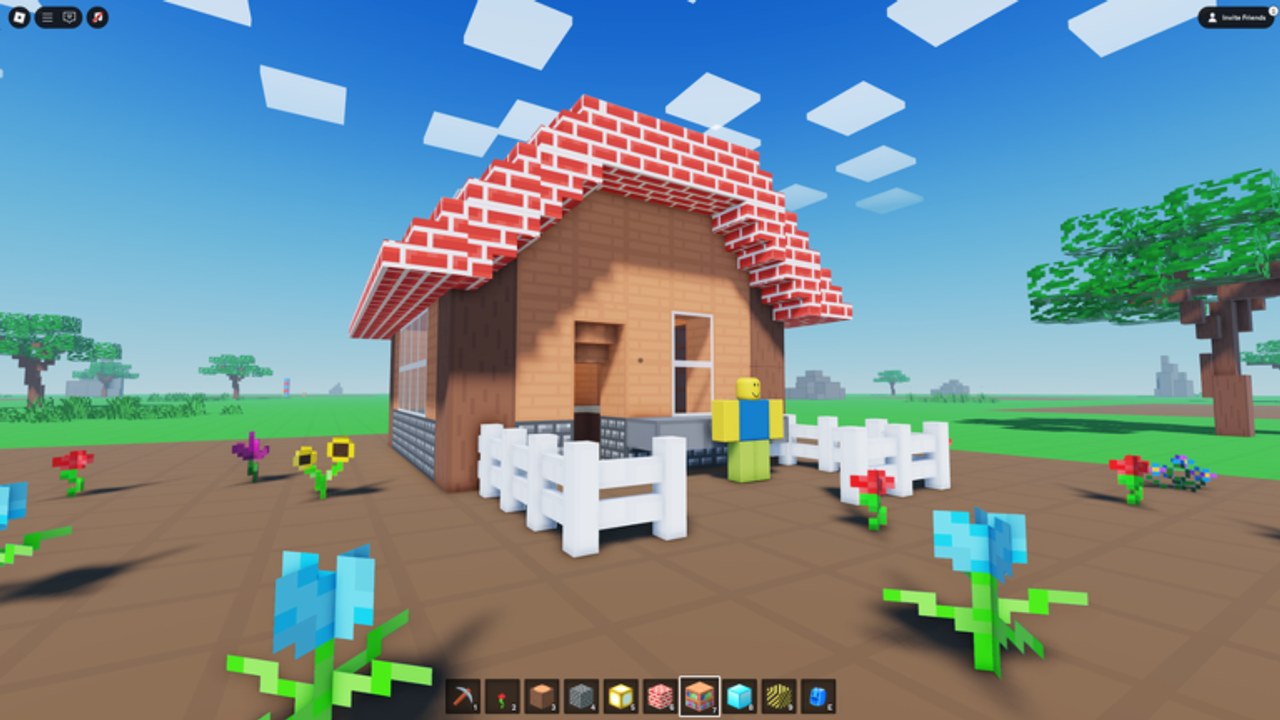
Most Build with Blocks visits happen on phones. The official description even lists click or tap placement beside the pickaxe mine step. This Mobile Play guide turns that line into a phone-first workflow so inventory taps, camera height, and performance settings stop fighting your cottage.
Pair this page with Controls for the full input chart and Plot Saves if a plot fails to load on cellular data.
Mobile setup in two minutes
- Launch Roblox, open place 78287218060484, and favorite it.
- Rotate to landscape for a wider build view.
- Wait until inventory and plot finish streaming—do not tap wildly during load.
- Open inventory, select a chunky structural block, tap the ground to place.
- Open tools, equip the pickaxe, tap a block to mine.
If taps walk your avatar instead of placing, the block is not selected. Reselect, then tap again.
Thumb and camera habits
- Raise camera slightly above eye level for foundations; drop to eye level for door gaps.
- Pinch-zoom out before long walls so you see the silhouette (Building Tips).
- Stop moving before each place tap—sprint plus tap equals crooked seams.
- Prefer thicker pillars and 2-wide openings; single-stud precision is harder on touchscreens.
UI obstacles on phones
Notches, chat, and experience banners can cover inventory tiles. Fixes:
- Hide chat while building.
- Use full-screen / immersive options in Roblox settings.
- After opening Settings for codes, reselect your block—selection sometimes clears.
- Close translator overlays that rewrite button labels.
Performance presets that protect builds
Heavy neon and max graphics make placement lag, which feels like “tap ignored.” Lower graphics quality until taps feel instant. Disable extra shadows if the device thermal-throttles. Readable silhouettes beat particle spam on a 6-inch screen.
Server size stays eight regardless of device. Mobile hosts should still follow Players etiquette when friends join.
Mobile-friendly build ideas
Choose themes from Build Ideas that favor chunky forms:
- Starter cottage with 7×5 pad
- Courtyard garden with low walls
- Market stalls with simple roofs
- Avoid ultra-thin spires and flicker neon forests
Mine openings with deliberate taps using How to Mine. Prepare 2-wide gaps for the future doors update.
Cellular vs Wi-Fi load tips
Plots stream assets. On weak cellular:
- Wait longer after join before judging emptiness.
- Walk to plot center to trigger nearby streaming.
- Rejoin on Wi-Fi before rebuilding (Plot Saves).
- Keep screenshot backups on the phone album.
Tablet advantages
Tablets give larger tap targets and easier orbit gestures. Use them for detailing sessions; phones remain fine for foundations and mining cleanup. The same inventory → select → place loop applies (How to Build).
Accessibility on touch devices
Increase camera sensitivity if orbiting feels sticky. Use high-contrast structural vs accent materials from the tier list so colorblind players still read massing. Avoid red/green-only coding for pathways.
Weekly updates on mobile
After Goober Labs weekly drops (Updates):
- Rejoin and let the new inventory thumbnails download.
- Place one test block and mine it.
- Add new pieces to a display shelf instead of rebuilding the whole façade on a bus ride.
Safety notes for mobile grinders
Do not install sideloaded “auto build” APKs or paste unknown scripts claiming mobile macros—read Scripts. Redeem only in-experience strings from Codes. Keep Roblox updated from the official store.
Practice drill (10 minutes)
- Landscape mode, select wood, place a 6-block line.
- Mine three, replace with stone.
- Orbit 90 degrees, place a matching parallel line.
- Cut a 2-wide doorway.
- Leave and rejoin to confirm the drill persisted.
Related pages
- Controls — PC vs mobile chart
- Getting Started — first session goals
- Building Tips — silhouette rules that survive small screens
- Links Hub — official Roblox destinations
Mobile building is not a lesser mode—it is the default audience for Build with Blocks. Master tap selection, camera height, and chunky forms, and your plot will look intentional whether friends visit from phones or PCs.
Frequently Asked Questions
Quick answers for Build with Blocks players.
Can I play Build with Blocks fully on mobile?
Yes. The official flow supports tap placement and pickaxe mining on phones and tablets.
Why do my taps not place blocks?
Reselect the block in inventory, wait for the plot to finish loading, and avoid tapping while sprinting.
What graphics settings work best?
Lower graphics until placement feels instant. Chunky silhouettes matter more than max shadows on phones.
Where do I learn PC differences?
See Controls for the side-by-side input breakdown.