Build with Blocks Plot Saves and Load Safety
Keep your Build with Blocks house intact with rejoin habits, screenshots, and griefing defenses.
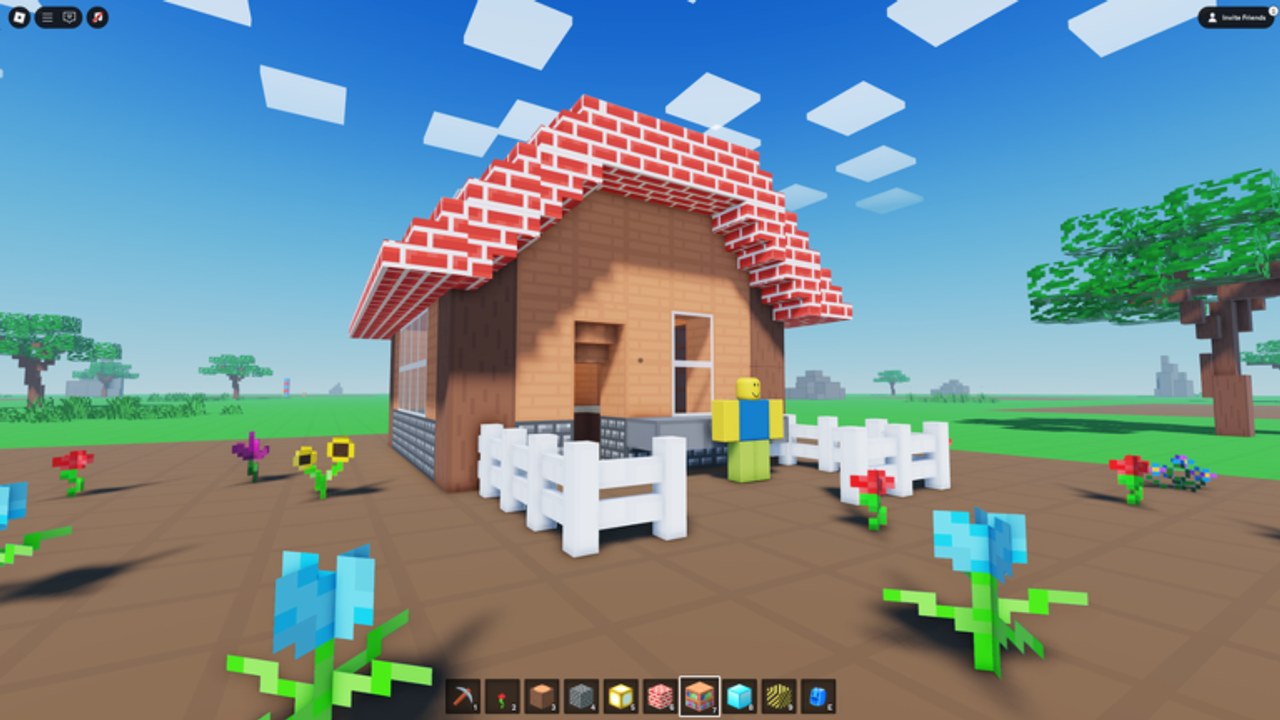
Players search plot saves the moment a Build with Blocks house fails to appear after a crash. Goober Labs ties progress to the experience’s personal plot system on universe 8827949529. This guide explains how to verify a load, recover from blank plots, and protect work on an eight-player server without inventing features the game does not advertise.
What “saved” means here
Build with Blocks is a released Roblox sandbox (created 28 September 2025). Your creations live on the plot assigned inside the experience. There is no separate Studio file for casual players. When the plot loads correctly, placed blocks persist across sessions. When it fails, the official-style recovery step shared across similar sandboxes is simple: rejoin and try again before you rebuild from scratch.
Always confirm you joined the real place 78287218060484—look-alike titles such as Build A Boat With Blocks or Block Build will not show your house.
First-session save checklist
- Favorite the experience so Roblox surfaces update badges (Updates).
- Walk onto your plot and place a distinctive three-block marker.
- Leave the server fully (not just lobby teleport).
- Rejoin from the official Roblox page linked in Getting Started.
- Confirm the marker still exists before investing an hour in walls.
That five-minute drill proves persistence on your account before you commit to a café or tower from Build Ideas.
If the plot loads empty
- Do not immediately pave a new foundation over the mystery void—wait one clean rejoin.
- Soft-rejoin: leave to Home, relaunch Build with Blocks, wait for HUD and inventory.
- Hard-rejoin: fully close the Roblox client, relaunch, open the experience again.
- Try a different server instance if the lobby feels stuck.
- Check device storage and network; mobile players should review Mobile Play.
- Only rebuild after two failed loads, using screenshots as blueprints.
Screenshot backups (your real insurance)
Roblox plot systems can glitch. Screenshots cannot. After every major stage:
- Front elevation
- Side elevation
- Top-down or high orbit
- Interior of key rooms
Store them in a phone album named “Build with Blocks.” If griefing or a failed load wipes detail, you can remine and replace faster with How to Mine and How to Build.
Griefing and visitor safety
Server size is eight. Friends make roleplay fun; strangers can mine your façade. Practical defenses:
- Host with people you trust when detailing rare accents (Players).
- Keep valuables inside rooms with narrow entrances until doors arrive (Doors Update).
- Avoid AFK sessions on public servers while neon galleries sit exposed.
- Agree on mine/no-mine rules before collaborative builds (Roleplay Tips).
Private-server style workflows vary by Roblox entitlements; this wiki does not invent VIP guarantees the experience page does not list. Favor social rules you control.
Update nights and plot risk
Goober Labs markets weekly drops. After any patch:
- Rejoin once before editing.
- Place and mine a test stud to confirm tools.
- Screenshot the façade.
- Then experiment with new materials from the tier list.
Never run unverified auto-place tools that claim to “backup plots”—see Scripts for safety notes. Promo strings belong on Codes only.
Cross-experience confusion
Your Build with Blocks plot is not your Voxel Block Builder world. Doors and roller systems on the sibling title do not migrate saves. Compare features on Voxel Block Builder, then return here to verify this plot.
Likewise, platform events such as Roblox Presents The Great Build (shared gratitude tower, Nov 2025–2026 seasonal windows) are separate experiences. Blocks placed there do not appear on your Goober Labs plot.
Performance vs persistence
Heavy neon and ultra graphics can make a plot feel unloaded when it is merely streaming. Lower graphics, wait for inventory, then judge emptiness. Controls camera habits help you inspect corners before declaring data loss.
Recovery rebuild workflow
- Open screenshots beside the client.
- Relay the foundation outline first.
- Raise walls in one material.
- Cut openings with the pickaxe.
- Re-add accents last.
- Run the leave/rejoin verification again.
Pair with Building Tips so the rebuild looks cleaner than the original.
Account and device tips
- Stay logged into the same Roblox account that owns the plot progress.
- Avoid rapid account switching mid-session.
- On shared family devices, confirm the correct profile before mining “old” builds that belong to a sibling.
Related reading
- Getting Started warm-up
- Mobile Play for touch-specific load issues
- Updates after patches
- Links Hub for official URLs
Plot anxiety fades when verification becomes habit. Marker block, rejoin, screenshot, then create. Build with Blocks rewards players who treat persistence as part of the craft—not an afterthought after a two-hour castle.
Frequently Asked Questions
Quick answers for Build with Blocks players.
Why is my Build with Blocks plot empty?
Try a full leave and rejoin before rebuilding. Confirm you opened place 78287218060484 on the correct Roblox account.
Does the game auto-save my house?
Progress is tied to the experience plot system. Verify with a marker block and a rejoin after your first session.
How do I protect against griefing?
Build with trusted friends on busy detail nights, screenshot often, and set mine/no-mine rules—see Players.
Will Voxel Block Builder saves transfer here?
No. Sibling Goober Labs experiences keep separate worlds. Ideas transfer; files do not.